
Click-to-Join
Effortless Class Access
Simplifying the process for students to join Google Meet classes with a single click, eliminating manual URL entry.
One-Click Join
Time Saver
User Friendly
How It Works
Streamlined user experience
Project Demo
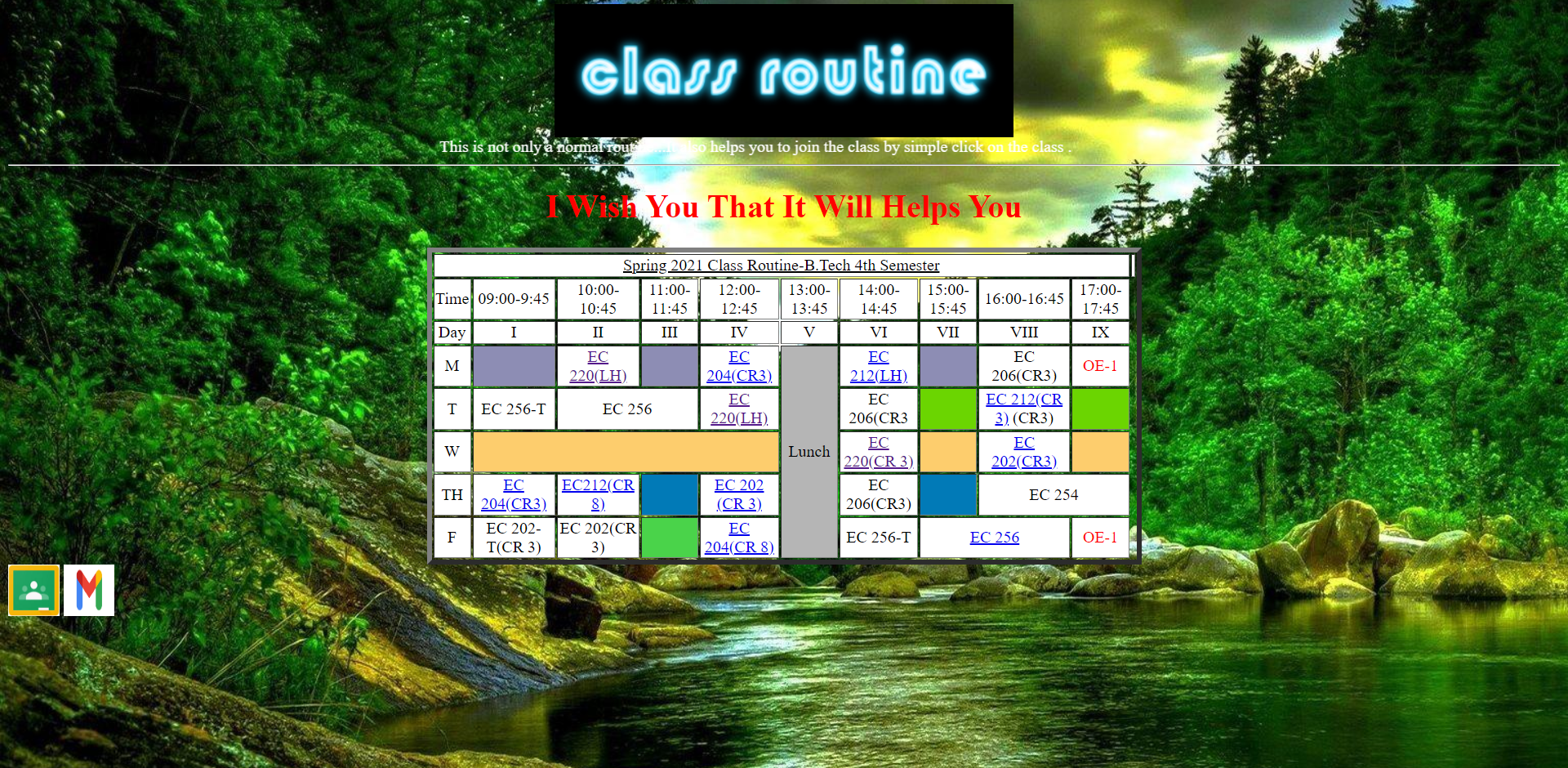
Visual interface of the routine manager
Project Overview
Details, features, and benefits.
Click-to-Join System
The web page simplifies the process for students to join Google Meet classes. It displays a list of classes with clickable class names. When a student clicks on a class name, the web page automatically joins the corresponding Google Meet session for that class. This saves time and eliminates the need for students to manually enter the Google Meet URL for each class. The web page provides a user-friendly experience and streamlines access to online classes.
Key Features
- Clickable Class Names Classes are listed as hyperlinks, triggering an action to join immediately upon clicking.
- Google Meet Integration Direct integration with Google Meet links, handling redirection seamlessly.
- Clean User Interface A simple, organized list of classes including week, time, and subject code.
Benefits & Convenience
- Simplified Access: Eliminates manual searching or typing of URLs.
- Time Efficiency: Join classes with just a few clicks, minimizing disruptions.
- Reduced Errors: Lowers the chance of joining the wrong meeting or mistyping links.
Project Info
- Category: Web Design
- Project Date: 01 August, 2021
- Project URL: GitHub Link